 Photo by Antoni Shkraba Studio from Pexels
The painter set up her phone on a tripod, hit record, and immediately felt the creative impulse drain away. What had been an afternoon of intuitive mark-making suddenly became a performance. She was watching herself work, imagining the viewer's perspective, wondering if this brush stroke would look good on camera. An hour later, she had footage of stiff, self-conscious painting and none of the flow state that usually characterized her practice.
This is the fundamental tension artists face when documenting process: the camera changes everything. The presence of a recording device can transform authentic creative exploration into performance, making artists feel observed rather than absorbed. Yet process documentation has become increasingly valuable—for marketing, audience building, collector engagement, and even personal insight into one's own practice.
The solution isn't avoiding documentation or forcing yourself to ignore the camera through sheer willpower. It's developing approaches that minimize disruption while capturing content that genuinely represents your practice. This requires understanding both why documentation matters and how to make it work without sacrificing what makes your work worth documenting in the first place.
Table of Contents
- Why Document Your Process
- The Disruption Problem
- Practical Approaches That Work
- What to Capture
- Frequently Asked Questions
Why Document Your Process
Before addressing the how, it's worth understanding why process documentation matters enough to figure out. The reasons extend beyond social media content, though that's often the immediate driver.
Audience Connection
Finished artwork tells viewers what you made. Process documentation tells them how and why. For audiences increasingly interested in the human stories behind objects, seeing work emerge transforms their relationship with finished pieces. They understand the decisions, the labor, the accumulation of small choices that resulted in the final work. This understanding deepens appreciation and creates emotional investment that static images of completed works rarely achieve.
Collector Engagement
Collectors often want connection to the artists they support. Process documentation provides ongoing engagement between purchases—glimpses into studio practice, new work developing, the continuing creative life that their collection represents a piece of. This ongoing relationship builds loyalty and keeps your work present in collectors' minds.
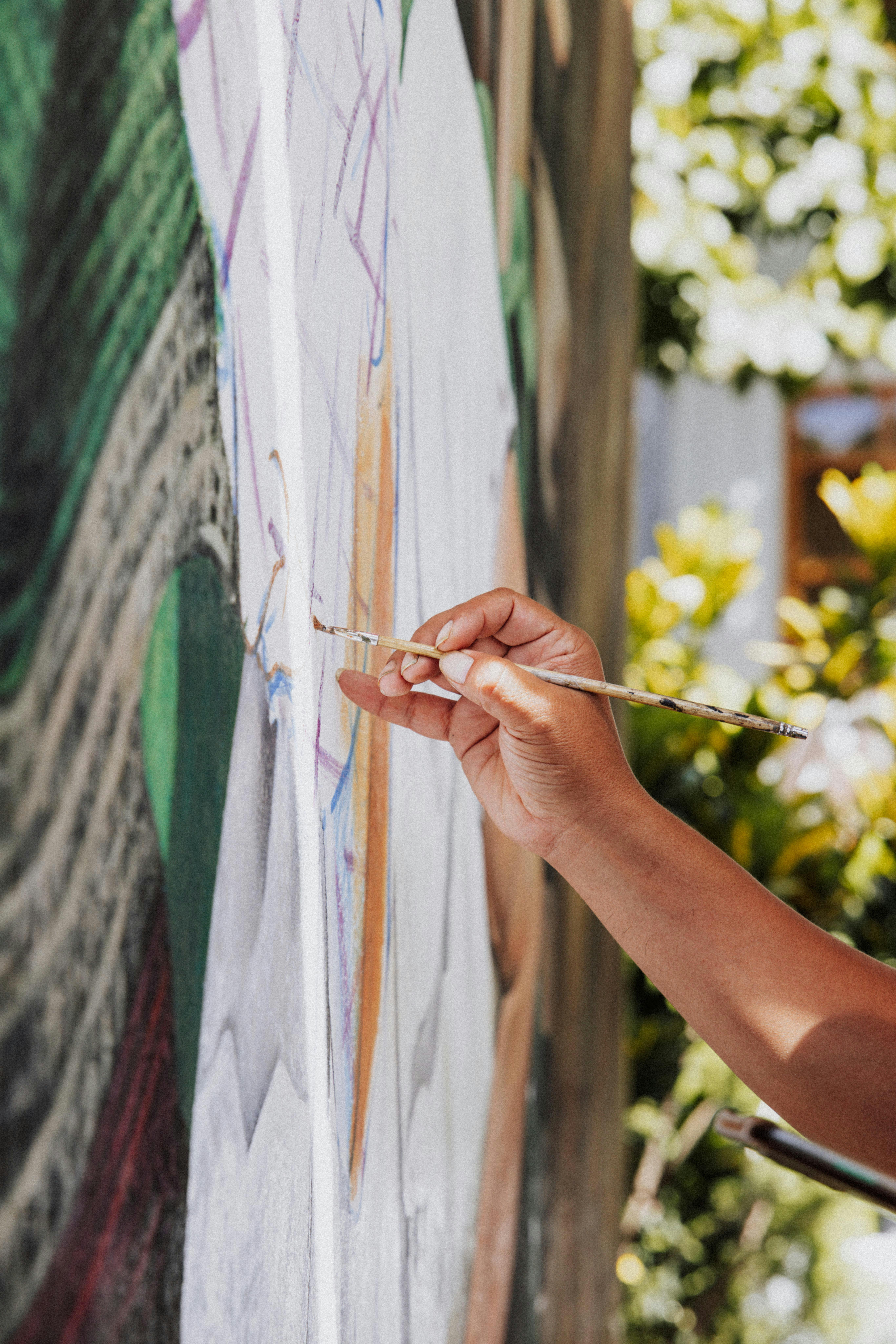 Close-up detail work creates intimate connection with viewers—they see what you see, understand the physical act of creation | Photo by Kelly from Pexels
Marketing Material
Video content performs exceptionally well across platforms. Process footage provides material for Instagram Reels, TikTok, YouTube, website backgrounds, and email newsletters. One studio session can generate weeks of content when edited thoughtfully. This efficiency matters for artists managing marketing alongside actual creative practice.
Personal Insight
Reviewing your own process footage reveals things you might not notice while working. Patterns in how you approach problems, tendencies you weren't conscious of, moments where breakthroughs happen—all become visible when you can observe yourself from outside the creative state. Many artists find this review genuinely useful for understanding and developing their practice.
The Disruption Problem
Despite these benefits, many artists resist process documentation because of how fundamentally it can disrupt creative flow. Understanding why disruption happens helps address it.
Observer Effect
The mere awareness of being recorded changes behavior. You might make "safer" choices, avoid the messy experimentation that leads to discoveries, or unconsciously perform rather than work. This isn't weakness or excessive self-consciousness—it's a well-documented psychological phenomenon. Fighting it through willpower rarely works; you need approaches that reduce awareness of observation.
Technical Distraction
Cameras need positioning, lighting adjustment, battery monitoring, storage management. Every moment spent on technical concerns is a moment pulled away from creative focus. Complex setups multiply these distractions. Even simple setups require some attention that diverts mental resources from the work itself.
Performative Pressure
The knowledge that footage exists creates pressure for sessions to "produce" something worthwhile. Failed experiments, slow days, work that gets painted over—all normal parts of practice—feel like failures when you imagine an audience watching. This pressure can push artists toward safer, more predictable work that makes for "better content" but worse art.
Artist Process Documentation
Professional video documentation for studio practice and creative process. Explore our video services
Practical Approaches That Work
The goal is creating documentation systems that require minimal attention once you start working. Several strategies help achieve this.
Set and Forget
Configure recording before you begin working and don't touch it again until you're done. Use time-lapse modes that compress hours into manageable files without requiring checks or adjustments. Position cameras outside your normal sightlines so you're not constantly reminded of their presence. The less you interact with recording equipment during work, the more naturally you'll work.
Permanent Mounts
Temporary setups require thought and time each session. Permanent camera positions—wall mounts, overhead rigs, dedicated tripods that stay in place—eliminate setup friction entirely. When the camera is just part of the studio infrastructure, like your easel or mixing palette, it stops demanding attention. You turn it on like a light switch and forget about it.
 Studio environments with natural flow—cameras become invisible when positioned permanently as part of the space | Photo by Leeloo The First from Pexels
Low-Stakes Practice
Build comfort with recording during sessions where the stakes feel lower. Material studies, technique practice, work on less precious pieces—record these until the camera's presence feels normal. Once you've habituated to recording during practice work, transitioning to documenting "real" work feels less fraught.
Separation of Work and Edit
Never review footage while you're still working. The creative session and the content creation session should be completely separate. Work as you would without cameras, then later—hours or days later—review footage as raw material for content. This separation protects creative focus while still generating material.
Accept Imperfection
Not every session produces usable footage. Not every clip needs to become content. Giving yourself permission to film without obligation to publish reduces pressure that can affect the work itself. Abundance mentality helps—if you're filming regularly, any individual session matters less.
What to Capture
Understanding what actually makes compelling content helps you set up documentation thoughtfully rather than randomly.
Transformation
The most engaging process content shows change over time: blank surface to finished work, rough sketch to refined image, chaos resolving into order. Time-lapse captures this naturally. Set up angles that show the full working surface so viewers can track transformation across the entire piece.
Hands and Tools
Close-up footage of hands working—mixing paint, shaping clay, making marks—creates intimacy. Viewers see what you see during the physical act of creation. These detail shots often work better than wide views for short-form social content, though you want both for varied use.
Decision Moments
Stepping back to evaluate, making significant changes, solving problems—these moments of visible decision-making engage viewers intellectually. They're invited into your thinking process, not just your physical labor. If you naturally step back and consider, a camera positioned to capture those evaluative moments documents the cognitive aspect of practice.
Remember: Audiences connect with authenticity more than perfection. The slightly messy studio, the moment of uncertainty, the brush stroke that doesn't quite work—these human elements make process documentation compelling. Polished performance often reads as less genuine than raw practice.
Frequently Asked Questions
Why should artists film their creative process?
Process documentation creates connection with audiences who increasingly want to understand how art gets made, not just see finished results. Video content performs well on social platforms, helps collectors feel connected to artists they support, provides material for websites and marketing, and creates archival records of working methods. Many artists find that reviewing their own process footage reveals insights about their practice they might otherwise miss. The investment in documentation pays forward through ongoing content for months or years.
What equipment do I need to film my artistic process?
Start simple: a smartphone with a basic tripod or mount is enough to begin. Key considerations include stable mounting (tripods, clamps, or wall mounts that don't require attention during work), adequate lighting (natural light or simple LED panels), and audio quality (room tone matters more than you'd expect). As you develop your approach, you might add time-lapse capability, multiple camera angles, or better audio capture. But elaborate setups can become distracting—simpler often works better for preserving creative flow.
How do I film without becoming self-conscious about the camera?
The key is creating setups that require no attention once you start working. Position cameras before you begin, use long recording times or time-lapse modes that eliminate checking or adjusting, and place cameras outside your normal sightline. Many artists find that after a few sessions, they forget the camera is there. If self-consciousness persists, try filming during less precious work—material studies, preparation, or practice pieces—until recording feels natural. Accept that your first attempts may feel awkward; that discomfort usually fades with repetition.
Should I hire a professional to film my process or do it myself?
Both approaches have value for different purposes. DIY filming works well for regular social content, casual behind-the-scenes documentation, and building comfort with being recorded. Professional documentation suits major projects, portfolio-quality content, or situations where you need to focus entirely on work without any setup distraction. Many artists combine approaches: self-filmed content for regular posting, professional sessions for cornerstone content used in websites, grant applications, or major promotional efforts.
What kind of process content performs best on social media?
Time-lapse videos showing transformation from blank surface to finished work consistently perform well—they compress hours of work into satisfying short clips. Close-up detail work showing hands and tools in action creates intimacy. Unexpected moments—mistakes, discoveries, dramatic color mixing—generate engagement. Authentic imperfection often outperforms polished production; audiences want genuine glimpses into creative practice, not perfect performances. Keep clips short for social platforms while saving longer documentation for website or YouTube use.
The Bottom Line
Documenting your artistic process creates valuable connection with audiences, generates ongoing marketing content, and can even deepen your understanding of your own practice. But cameras in the studio risk disrupting the creative flow that makes your work worth documenting. The solution isn't forcing yourself to ignore the camera or giving up on documentation entirely.
The solution is creating documentation systems that require minimal attention—set-and-forget approaches that become invisible infrastructure rather than demanding presence. With the right setup and mindset, you can capture authentic process footage while remaining absorbed in the work itself. The camera becomes another tool in the studio, not an audience you're performing for.
Artist Process Documentation
Professional video and photography documentation for artists and creative practices.
Schedule Your Session | View Portfolio | Call (929) 445-0603
The Lightroom Studio · NYC Artist Documentation
Related Reading
Artist Studio Photography
Tell your story by showcasing your creative space.
Social Media Content for Artists
Creating scroll-stopping content for gallery openings and events.
Branding Photography Guide
Why professional imagery matters for creative businesses.